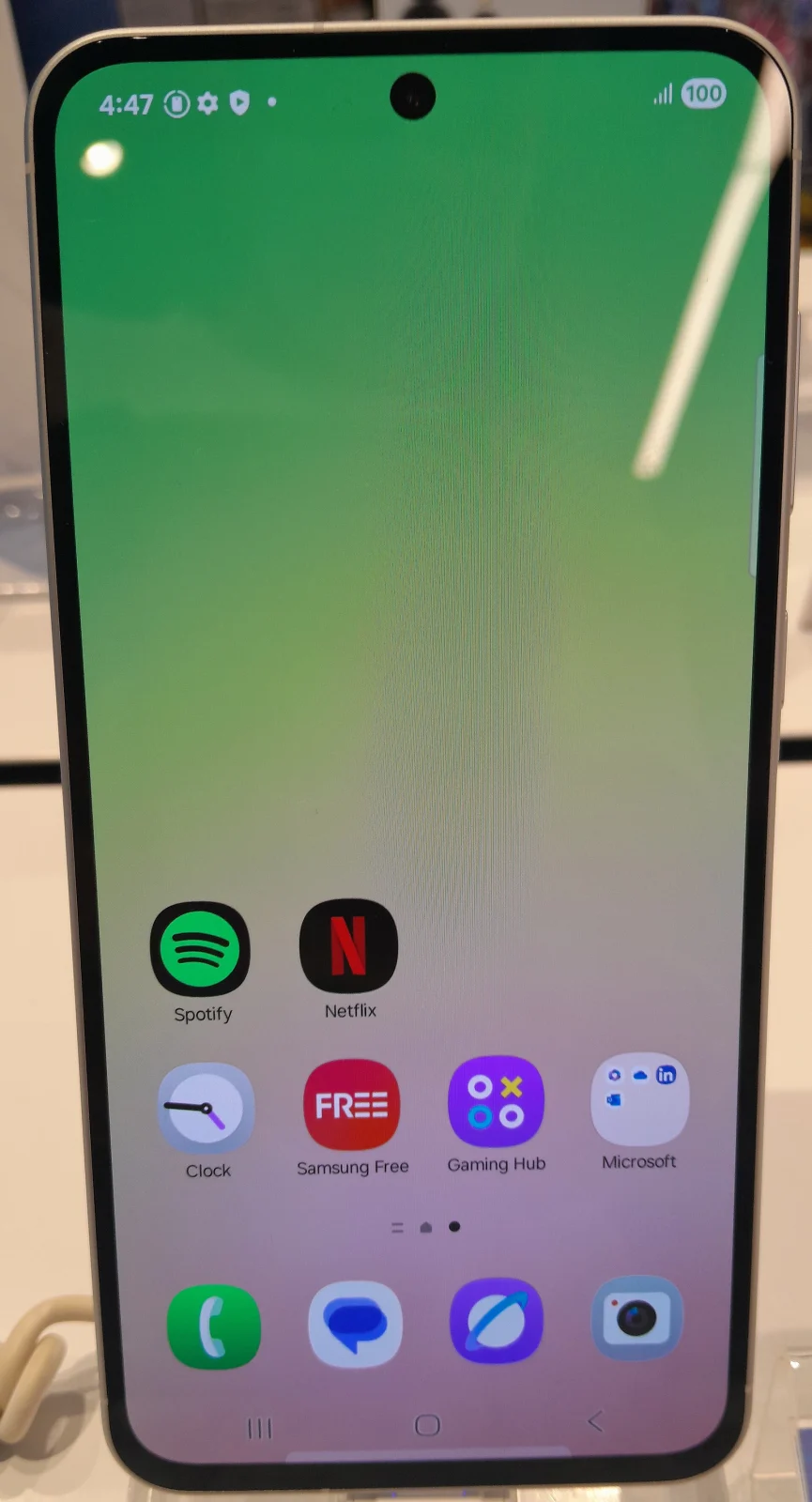
The Galaxy A56 5G makes the most sense when you want a large everyday phone and intend to keep it for several years. The buying decision is less straightforward if you are expecting a compact handset, a particular camera feature or the fastest charging result from an adapter you already own.
Start with the exact model and the total checkout cost. A discounted handset can still be the wrong purchase if its storage is too small, its regional support is unclear or the accessories you need erase the saving. This guide evaluates the documented specification and ownership questions; it does not claim a hands-on battery or camera test.
What the headline specification actually tells you
Samsung lists a 6.7-inch FHD+ Super AMOLED display, a typical 5,000mAh battery and support for 45W Super Fast Charging. Those figures describe different things: screen size helps explain handling, capacity describes stored charge, and the charging rating describes a supported charging mode. None is a measurement of your full day of use.
| Specification | Useful interpretation | Check before buying |
|---|---|---|
| 6.7-inch display | A large canvas for reading, maps and video | Reach the keyboard and upper corners with your normal grip |
| 5,000mAh typical battery | A capacity figure, not a personal endurance promise | Think about navigation, mobile data and gaming in your own routine |
| 45W charging support | Requires a compatible charging setup | Check the adapter, cable and regional box contents |
| Long software commitment | Helpful for keeping the phone in service | Confirm the remaining policy window for the exact model |
Count support from the product policy, not the receipt
Samsung advertises up to six generations of operating-system upgrades and up to six years of security updates for the A56 5G. Do not read that as a fresh six-year period beginning whenever a discounted or used unit changes hands. Ask how the policy applies to the model you are buying and check its current software state.
For a used phone, ask the seller to show the installed version, security patch information and update screen. A screenshot from another handset is not enough. Also establish whether the device has an outstanding account lock and whether the seller can reset it properly before handover. Keep the software question separate from battery wear: a supported phone can still need a battery service.
Our guide to the phone support clock explains how to compare a remaining support window with the period you actually plan to own a device.
Choose storage using a migration estimate
Read the storage capacity on the invoice and the model listing rather than assuming every A56 offer is the same. Regional memory and retail configurations differ. Before choosing, open the storage screen on your current phone and note the space taken by photos, downloaded media, apps and system data.
Then add what will change. A phone that stays mostly online has a different storage pattern from one carrying downloaded shows, offline maps and large games. Allow room for app growth and updates instead of planning to keep the device almost full. Treat cloud storage as a separate service with its own cost and connection requirements, not as extra built-in capacity.
Put your estimate into our 128GB versus 256GB storage worksheet.
Put the charger in the budget
The wattage printed on an old adapter does not, by itself, establish that it supports the phone’s intended fast-charging mode. Check compatibility and the cable together. A high-power laptop adapter may work, but its headline maximum alone does not tell you which charging mode the phone will negotiate.
Ask the retailer to itemize the handset, adapter, cable, case and any optional protection plan. That produces a useful comparison with a competing offer. It also avoids a common mistake: choosing a slightly cheaper phone and discovering at checkout that the required accessories cost more than the initial saving.
Check the adapter and cable together with our USB-C charging and cable guide.
Make the shop visit answer three questions
- Can you handle it comfortably? Try typing, a one-handed back gesture and putting it in the pocket or bag you use every day.
- Does its camera cover your actual subjects? If possible, inspect a moving subject and an indoor scene. A bright display demo is not a substitute for those needs.
- Will service be straightforward? Confirm regional warranty eligibility, the return process and the invoice details before paying.
The A56 belongs on your shortlist if its size suits you and the complete price is competitive for the support you have left. If your current phone still meets your needs, compare the cost of keeping it in service too. Buy the improvement you can identify, rather than a specification that will rarely change your day.

Amelia Brooks
Editorial pen namePractical guides to phones, two-wheelers and gaming from the NewsHoxs desk. Read the bio & browse all stories ↗
See our coverage methodology or send a correction.
.jpg)