Buying a first phone for your parents is different from buying one for yourself. You are not looking for the fastest processor or the most cameras. You are looking for a phone they will actually enjoy using, without calling you every day because something changed on the screen.
Many parents in India use a phone for a few clear things: calls, WhatsApp, video calls with family, photos of grandchildren, YouTube, and sometimes UPI payments. If the phone does those things well, and is easy to see and hear, it is a good choice.
The best way to choose is to think about their day, not about a list of features. Do they read the news in the morning? Do they watch videos in the evening? Do they struggle to read small text? Those answers matter more than any benchmark.
Start with the screen and sound
For most parents, the screen is the first thing to get right. A larger screen, around 6.5 inches or more, makes text, photos, and video calls easier to see. It also makes the keyboard bigger, which helps if their fingers are not used to a small touchscreen.
Check the brightness in a shop if you can. A screen that is easy to read in daylight, even in a bright room, is worth more than a screen with a fancy name.
Sound matters just as much. The earpiece should be clear during calls, and the speaker should be loud enough for a video call in a normal room. If your parents wear hearing aids or often ask you to repeat yourself on calls, test the call volume in the shop before you buy.
Keep the basics simple
A first phone should be easy to charge, easy to hold, and easy to find. A phone with a large battery that lasts a full day, even with video calls, will cause fewer worries. Your parents should not have to think about charging in the middle of the day.
Look for a phone that is not too heavy and not too slippery. A light case with a good grip helps. A phone that slips from the hand is a phone that will need a repair.
Fingerprint sign-in can be helpful, but only if it works well. If your parents have dry hands or find it hard to place a finger in the same spot, face sign-in or a simple PIN may be easier. Set up the sign-in method together, and practise it a few times.
Set it up before you hand it over
The most important step happens after you buy the phone, not before. Set it up at home, with time to spare, before you hand it to your parents.
Add their contacts, with photos if you can. Save family numbers under names they recognise. Add WhatsApp, and add the family group. Set the language to the one they read best. Increase the font size and the display size in settings so text is easy to read.
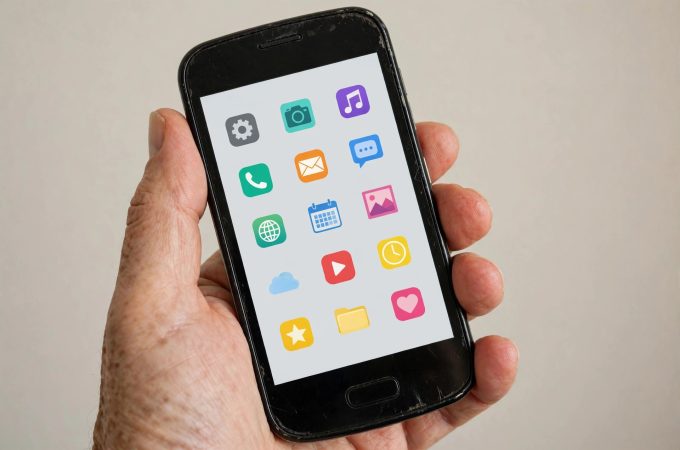
Add a simple home screen. Put calls, WhatsApp, camera, photos, and YouTube on the first screen. Move everything else to a second screen or a folder. A clean home screen is less scary than a screen full of icons.
Teach in small steps, not all at once
Do not try to teach everything in one evening. That is how people forget, and how they start to feel that the phone is too hard.
Teach one thing at a time. First, how to make and receive a call. Then, how to send a WhatsApp message and a photo. Then, how to make a video call. Then, how to watch a video on YouTube. Give them a day or two to practise each one.
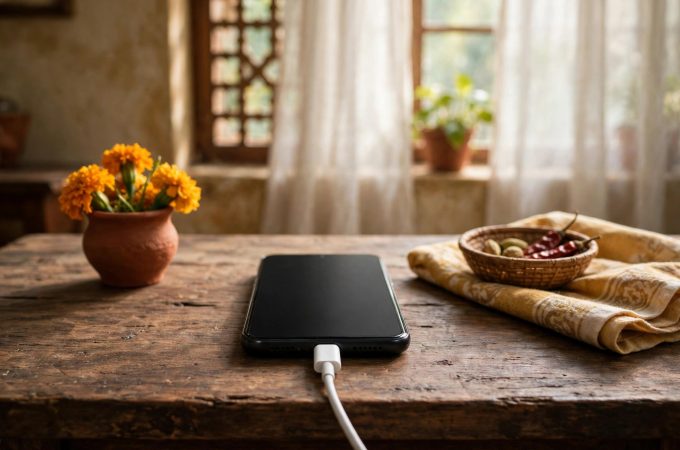
Show them how to charge the phone, and where to keep the charger. Show them what to do if the phone rings and they do not know who it is. Show them how to end a call, and how to call you back.
Make a short list of things to avoid, and explain why. Do not click on links in unknown messages. Do not share an OTP with anyone, even if the caller says they are from a bank. Do not install apps from outside the official app store.
Payments and safety, handled gently
Many parents will want to use UPI at some point, for a shop, a bill, or a family transfer. Do not rush this. Let them get comfortable with calls and messages first.
When they are ready, set up UPI together. Use a simple app they already know, and set a PIN they can remember. Show them how to check the balance, how to send a small amount, and how to check if a payment went through.
Explain the OTP rule in plain words: a bank will never ask for an OTP on a call. If someone asks for it, end the call and call the bank number on the card, or ask you first.
Turn on the phone's built-in security features. Set up a screen lock, turn on the option to find the phone if it is lost, and make sure automatic updates are on. That is enough for most people.
Quick checklist
- Choose a large, bright screen and clear, loud sound.
- Pick a battery that lasts a full day, and a phone that is easy to hold.
- Set the language, font size, and home screen before handing it over.
- Add contacts with photos, WhatsApp, and the family group.
- Teach one skill at a time, and let them practise.
- Explain the OTP rule, and do not rush UPI.
- Keep the bill, the box, and the important details written down at home.
A first phone for your parents is not about the newest model. It is about a phone that fits their hands, their eyes, and their day. If they can call family, see photos clearly, and watch a video without worry, you have chosen well.
The best phone is the one they pick up without fear. Set it up with care, teach it slowly, and be there for the first few weeks. After that, they will surprise you with how quickly they learn.

Amelia Brooks
Editorial pen namePractical guides to phones, two-wheelers and gaming from the NewsHoxs desk. Read the bio & browse all stories ↗
See our coverage methodology or send a correction.