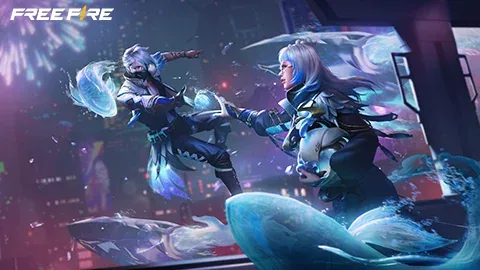
Garena’s OB55 notes were published on 10 September 2026 and describe additional October timing. Check the current client before treating every announced mechanic as available in your mode.
Returning to Free Fire after a break can mean encountering several changes at once. Garena’s OB55 notes, published on 10 September 2026, include features scheduled for 1 October. Reading those dates separately helps avoid confusing the original patch announcement with each feature’s planned arrival.
What the notes describe
Garena lists new weapons including M7, Skorp, RPK and Hawk, alongside battle-royale events such as meteor airdrops and vending-machine discounts. The notes also describe active and passive devices and changes to team interactions.
This is a summary of the publisher’s announcement. It is not a claim that NewsHoxs has verified every feature on every regional server or tested the resulting weapon balance.
Check the part that affects your play
Start with the modes and equipment you already use. Read their full entries in the official notes, then check the descriptions visible in your current game client. If a feature is absent, compare the announced timing and regional information before assuming the installation is broken.
Keep your first session after an update simple. Learn one unfamiliar item in an appropriate practice setting, and avoid changing several control preferences at the same time. Otherwise, a new mechanic and a new personal setting can become difficult to distinguish.
A patch note is not a tier list
An increase or reduction in one value does not, by itself, prove which weapon is best for every player. Real matches involve range, familiarity and the rest of the loadout. Record what you notice and leave broad rankings open until there is suitable evidence.
For device smoothness rather than game balance, use our settings checklist. The two questions need different checks.
Make an update checklist for your own loadout
| Area | What to record |
|---|---|
| Equipment you already use | The current in-game description and any changed behaviour |
| New devices or interactions | Where the option appears and which mode enables it |
| Controls | Whether your old layout remains comfortable |
| Device performance | Whether an issue concerns rendering or connection delay |
Start with one familiar weapon and the same control layout. Learn an unfamiliar mechanic in a suitable practice setting before treating a difficult match as evidence that your settings are wrong. Keeping the controls stable makes it easier to understand the game change itself.
Treat strong balance claims as unfinished work
A serious weapon comparison would need a stated mode, distance, equipment and repeatable observations. A short highlight clip usually supplies only a successful moment. It cannot establish that an item works best for every player or on every regional version.
Our practical recommendation is to keep a small change log for your first sessions: what changed in the client, what you tried and what remains uncertain. That gives the next session a purpose and avoids importing an entire new configuration in response to one bad result.

Amelia Brooks
Editorial pen namePractical guides to phones, two-wheelers and gaming from the NewsHoxs desk. Read the bio & browse all stories ↗
See our coverage methodology or send a correction.